

Templates
Load, save, and manage templates.
A template is a saved design that users start from. Your server stores the templates. The editor lists them in the Templates panel, loads them onto the page, and saves new ones.
Setup
The template library needs two functions: one that lists templates, and one that saves them. This Next.js page connects both to a route of your application:
'use client';

import dynamic from 'next/dynamic';
import type { Template } from '@layermetry/media-editor/react';

const ImageEditor = dynamic(
  () => import('@layermetry/media-editor/react').then((mod) => mod.ImageEditor),
  { ssr: false },
);

async function saveTemplate({ template, ...metadata }: { template: Template }) {
  const response = await fetch('/api/templates', {
    method: 'POST',
    headers: { 'Content-Type': 'application/json' },
    body: JSON.stringify({ template, ...metadata }),
  });
  // A rejected promise tells the user that the template was not saved.
  if (!response.ok) throw new Error(`Save failed: ${response.status}`);
}

async function getTemplates(): Promise<Template[]> {
  const response = await fetch('/api/templates');
  if (!response.ok) throw new Error(`Loading failed: ${response.status}`);
  return response.json();
}

export default function EditorPage() {
  return (
    <div style={{ position: 'fixed', inset: 0 }}>
      <ImageEditor
        licenseKey={process.env.NEXT_PUBLIC_LAYERMETRY_LICENSE_KEY!}
        onClose={() => console.log('The editor was closed')}
        onSaveTemplate={saveTemplate}
        onGetTemplates={getTemplates}
        templateMetadata={{ metadata: { brand: 'acme' } }}
      />
    </div>
  );
}
See Saving and loading for the route and the fields of a template.
Template library
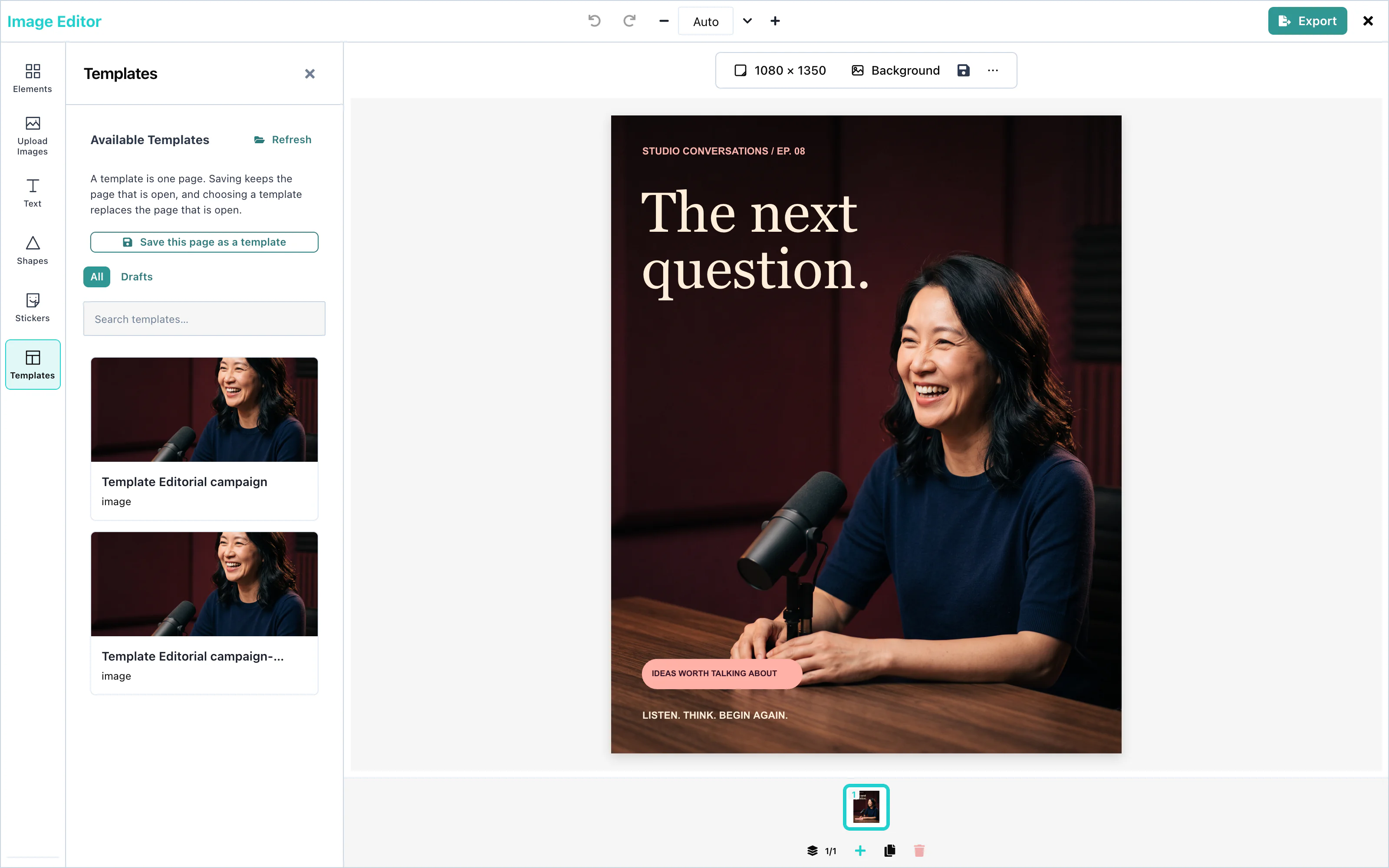
onGetTemplates. See Saving and loading.Open the Templates panel in the tool rail. The editor calls onGetTemplates and shows each template as a picture. Refresh asks again. A click on a template loads it onto the open page, in place of what was there.
 View full size
The editor waits up to 3 seconds for the fonts of the template, so that the text appears in the right font. When the template was made for another page size, templateCanvasPolicy decides what happens. See Loading designs.
To open the editor with a template already loaded, pass it as defaultTemplate.
Saving templates
With onSaveTemplate, the user saves the open page as a template, with Save this page as a template in the toolbar above the page or in the Templates panel. The toolbar button's accessible name is "Save template". The editor makes a preview picture, and calls onSaveTemplate({ template }).
A template holds one page. Saving keeps the page that is open, and choosing a template replaces the page that is open. The Templates panel says so in one line.
onSaveTemplate={saveTemplate}The user sees "Template saved" when your promise resolves, and "Template wasn't saved" with a retry when it rejects. The new template appears in the library the next time the panel asks onGetTemplates.
Without onSaveTemplate, no save button appears.
Drafts
A draft is a template that is not finished. Save draft in the export panel saves one, with draft: true. The Templates panel shows the drafts under Drafts, next to All.
See Drafts for automatic saving.
Text templates
Text templates are styled groups of text and shapes. The Text panel includes built-in designs and accepts host designs through textTemplates. See Text templates.
For your brand's own text looks, use templateMetadata.textStyles. See Brand text styles.
Configuration
| Prop | Type | Default | Description |
|---|---|---|---|
onGetTemplates | () => Promise<Template[]> | none | Lists the templates for the Templates panel. |
onSaveTemplate | (props) => Promise<void> | none | Saves a template or a draft. Without it, no save button appears. |
defaultTemplate | Template | none | A template on the page when the editor starts. |
templateCanvasPolicy | 'adopt', 'fit', or 'place' | 'adopt' | What happens when a template has another page size. |
templateMetadata | object | none | Your own fields, added to every saved template, and your brand's text styles. |
onUploadAsset | function | none | Stores the pictures of a template in your storage. See Asset storage. |
Events
onSaveTemplate runs for each save. The custom element also sends a templatesave DOM event, with detail: { template, saved }. See Events.