

Multi-page designs
Create designs with several pages, such as carousels.
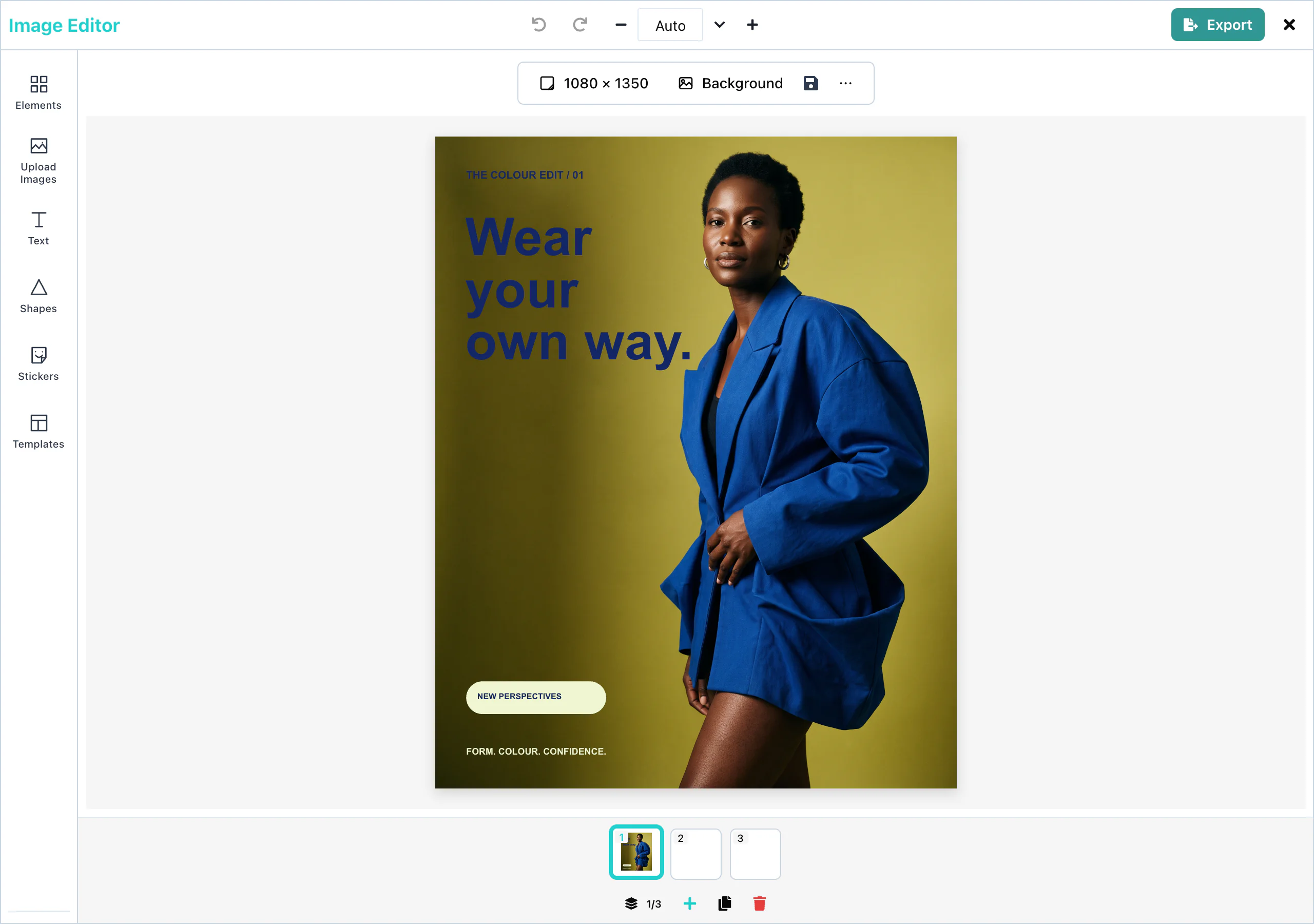
A design can have up to 10 pages, for example the slides of a social media carousel. Each page has its own size and background. The user adds, duplicates, and deletes pages in the page list under the page.
Setup
Multi-page designs work with no setup. Every editor shows the page list.
import { ImageEditor } from '@layermetry/media-editor/react';
export default function App() {
return (
<div style={{ position: 'fixed', inset: 0 }}>
<ImageEditor
licenseKey="YOUR_LICENSE_KEY"
onExport={(file) => console.log(`Exported ${file.name}`)}
onClose={() => console.log('The editor was closed')}
/>
</div>
);
} View full size
The page list shows a thumbnail of each page. A click on a thumbnail opens that page. The counter, for example 2/3, shows the open page and the number of pages. A click on the counter opens Pages, a larger view of all pages.
Adding pages
Add page (the plus button) adds an empty page at the end. A new page is 1080 × 1080 pixels, with a white background. The page that is open stays open.
A design holds at most 10 pages. At 10 pages, Add page is not available, and the editor says "You can only have 10 pages."
To change the size of a page, see Resizing.
Duplicating pages
Duplicate page copies the open page, with its size, its background, and all its elements. The copy comes right after the original, and the copy opens.
Use it to make the slides of a carousel look alike: design the first slide, duplicate it, and change the words.
Deleting pages
Delete page deletes the open page at once, with no question. Undo does not bring a page back. The page before it opens, or the next page when the first page was deleted.
A design always has at least one page. With one page, Delete page is not available.
In the Pages view, each page has its own duplicate and delete buttons.
Page export
When a design has more than one page, the export panel shows Pages to export, with a box for each page. Every page is ticked when the panel opens.
| Format | Result for several pages |
|---|---|
| One PDF file, with one PDF page for each design page. | |
| PNG, JPEG | One ZIP file, with one picture for each page: page-1.png, page-2.png, and so on. |
See Page selection for the details.
Configuration
Pages have no props. The page limit of 10 is fixed.
Events
Pages have no events of their own. See Events for the export.